Many Spinning Plates
Teachers have so much going on at once and need to quickly track and respond to alerts to try and minimise the time between an alert being raised and actioned.
Case Study
Streamlining Electronic Incident Recording for Schools
Company Background
Smoothwall is a digital safety technology provider with over 200 employees. They were recently acquired for over 70 million pounds and pride themselves on providing solutions for digitally safeguarding students within schools.
The Product
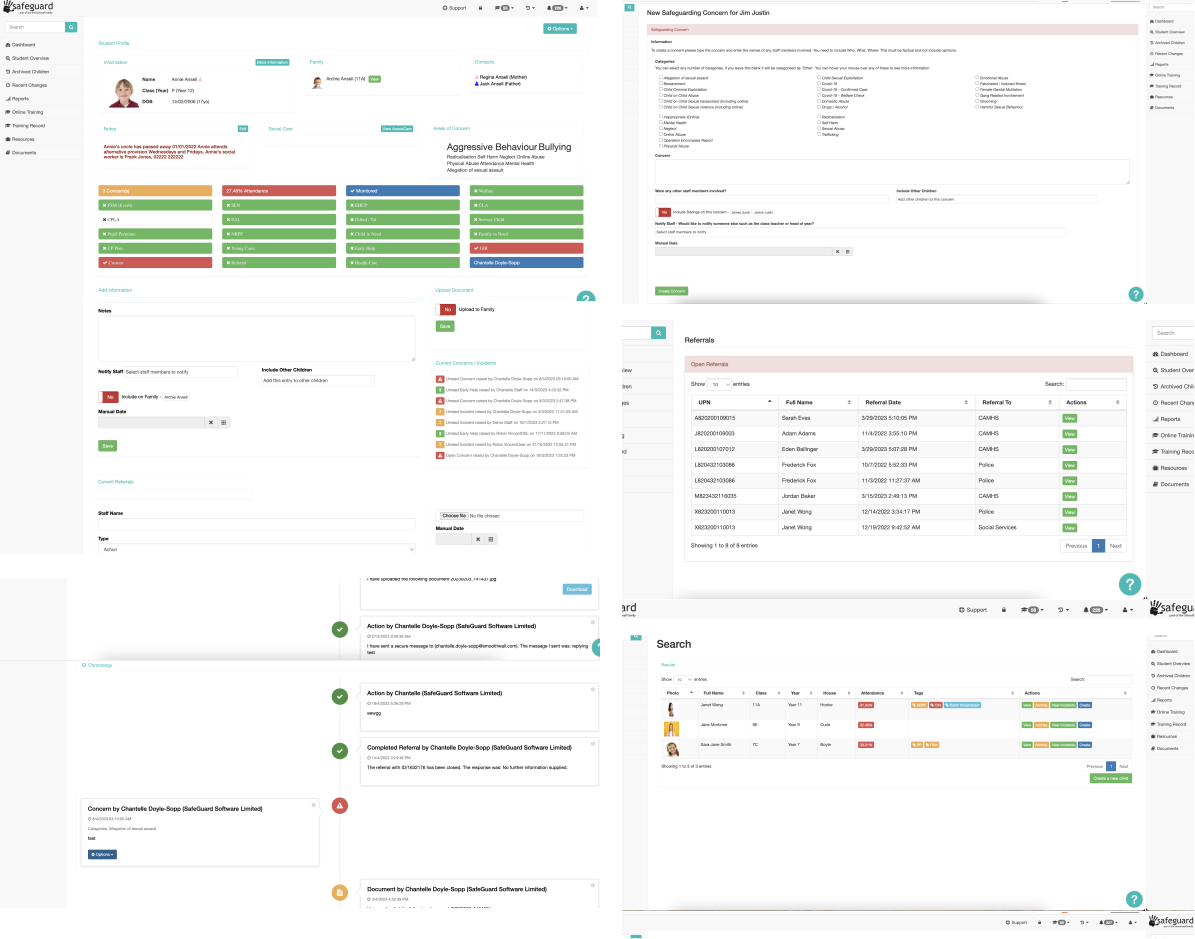
A SaaS solution which allows schools to electronically record child protection issues and safeguarding incidents without the need for traditional daybooks or CP files. It integrates with other Smoothwall products to seamlessly flag and track events pertaining to a child's wellbeing.
Problem
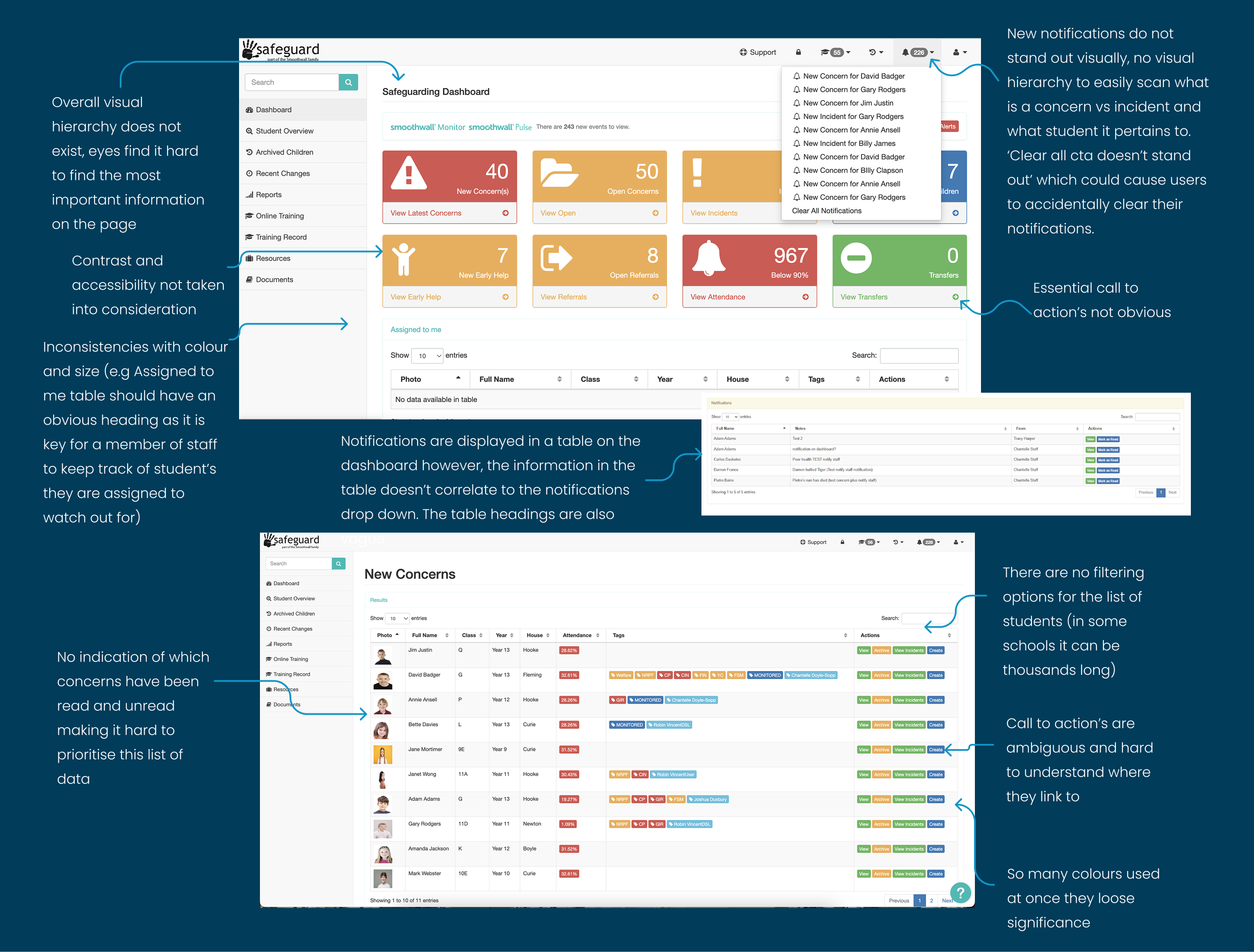
Rebuild and redesign needed due to the product's legacy architecture leading to scalability issues, frequent data leaks and GDPR problems.
Accessibility was not considered and the platform lacked structure and hierarchy. This meant the information provided to users was overwhelming, making it hard to keep track of student data and gain an overall view of what was happening in the school.
Solution
Look at user requirements with a fresh perspective. Update and simplify the Record Manager interface, stripping out unneeded elements and restructuring the platform, to allow school staff to easily track and manage their student's safeguarding data.
Align the user interface with new company guidelines to achieve a cohesive Smoothwall and Familyzone product appearance.
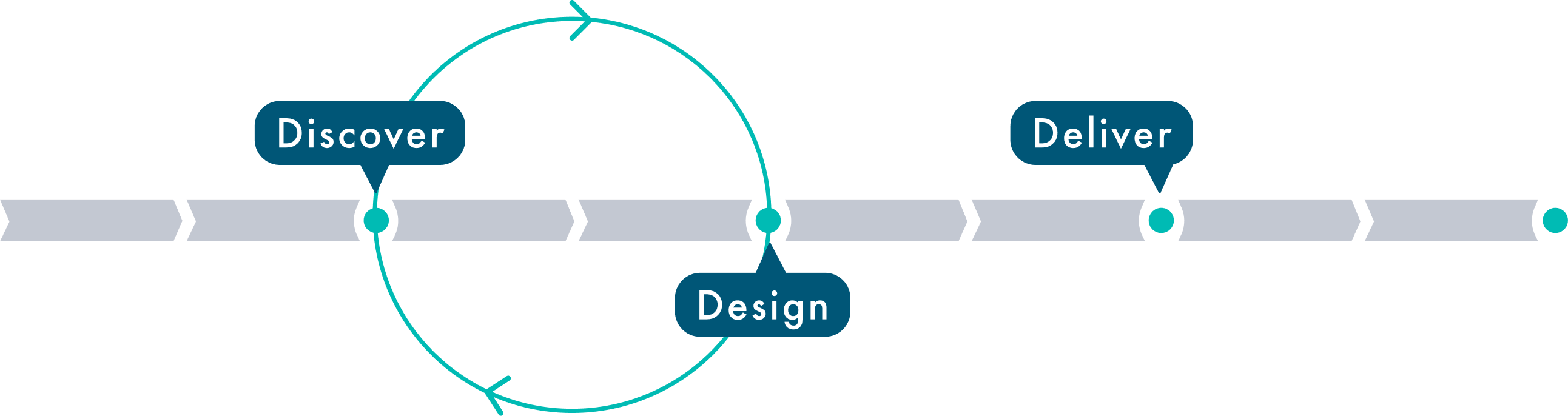
The blue circle represents the iteration phase that took place. As this project spanned across a large time frame we naturally discovered more about the users which helped us to iterate and improve our designs.
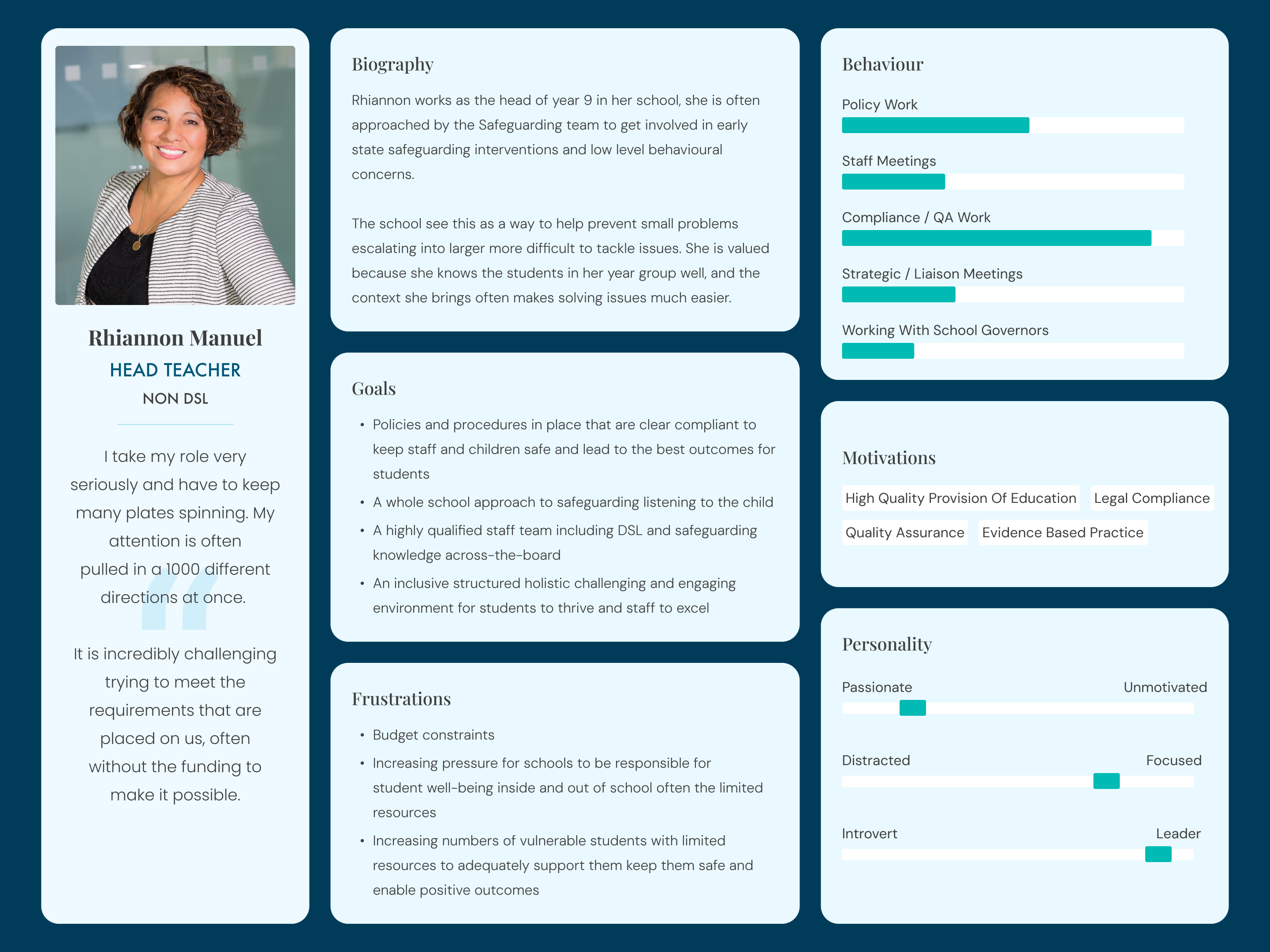
DSL's have an unrestricted view of data, they can see everything. Non DSL's are only allowed to see data relating to behaviour incidents and past concerns they have raised.
A DSL can be anyone (or sometimes a team of people) at the school. They typically hold a senior position and are well trusted.
| Action | DSL | Non DSL |
|---|---|---|
| Can report both safeguarding concerns and behaviour incidents | ✓ | ✓ |
| Can track and update all behaviour incidents and safeguarding concerns that have been raised at the school | ✓ | ✗ |
| Can view all student profiles | ✓ | ✗ |
| Can only see student data pertaining to behaviour incidents | ✗ | ✓ |
| Can only track and update concerns they themselves have raised | ✗ | ✓ |
We conducted user interviews and reviewed previous research data to identify the following key themes.
Despite guidance through help meetings and instructional videos, many staff members still struggle to navigate the platform, indicating the interface lacks the clarity and simplicity required for ease of use.
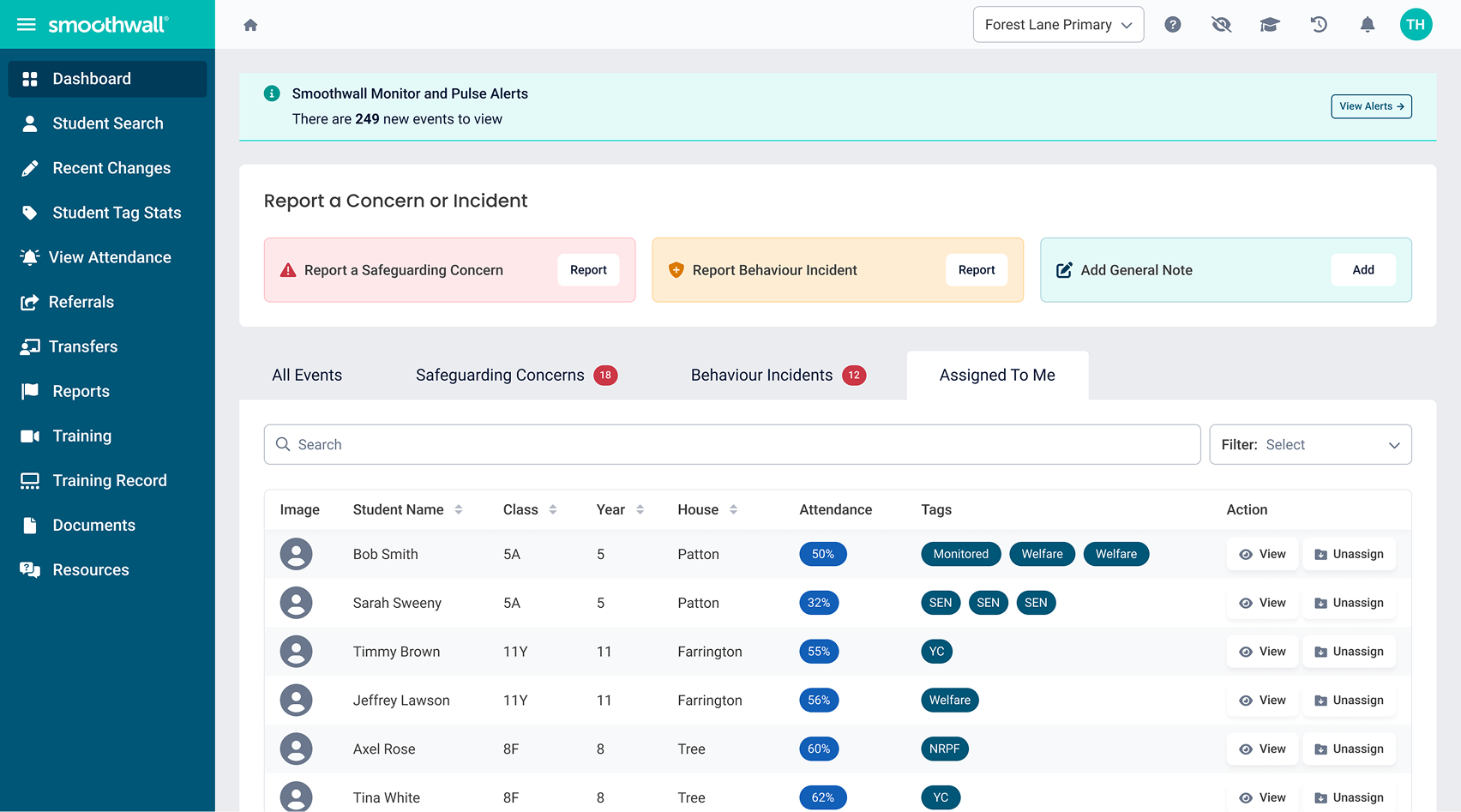
School staff are overwhelmed with information and need to focus on students who need their attention most. Effective filtering and data organisation would significantly alleviate their burden and help them better serve students.
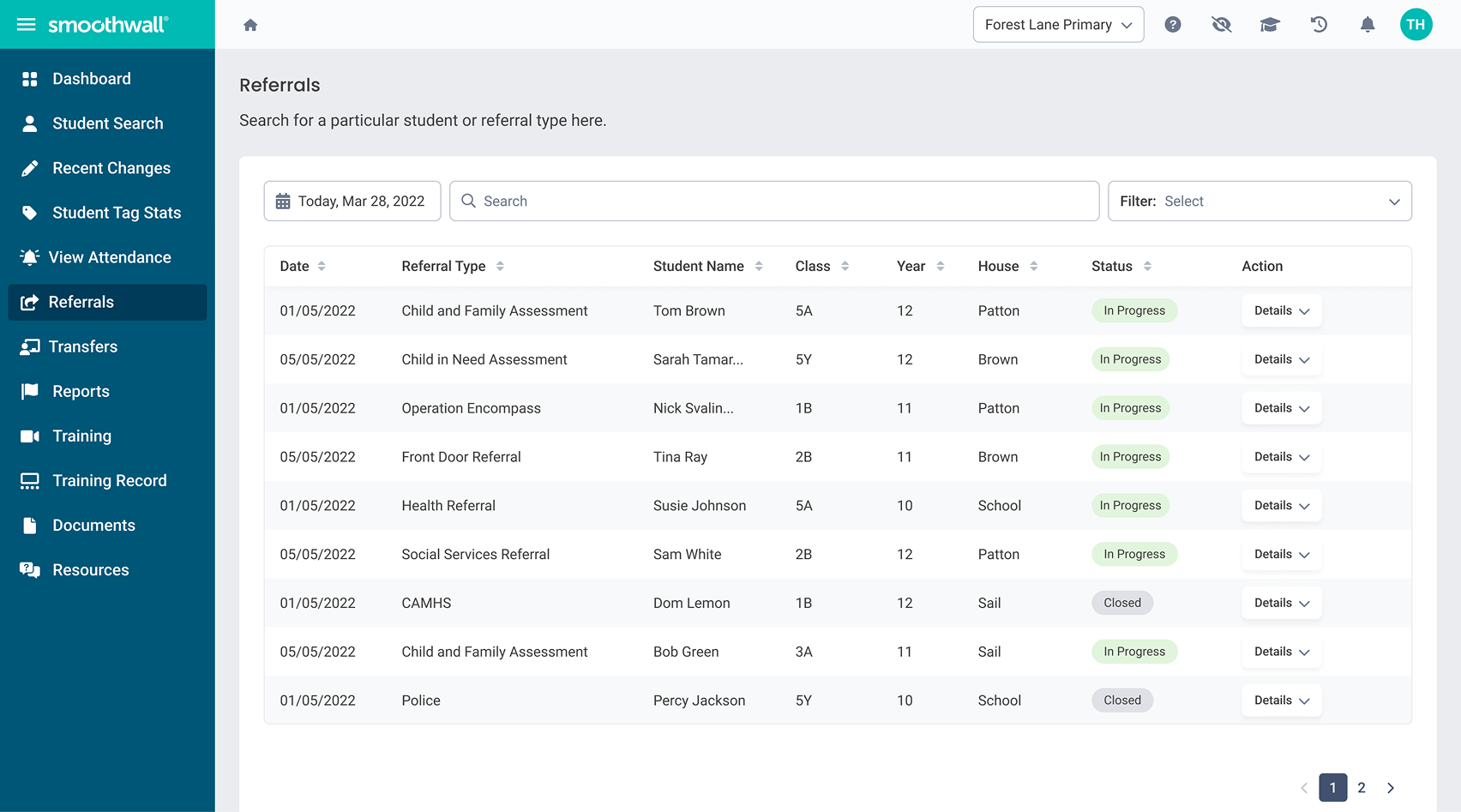
Users want consolidated data to understand a student's background, but disconnected school systems make cross-department collaboration difficult. Coordinating teams can take weeks, so breaking down silos is crucial for better safeguarding outcomes.
Lack of visibility into case status, whether open, in progress, or closed, leaves staff feeling lost. A means to see all active cases at a glance would greatly improve situational awareness and enable prompt, effective responses to student needs.
Teachers have so much going on at once and need to quickly track and respond to alerts to try and minimise the time between an alert being raised and actioned.
Context is key for teachers looking at data about a students behaviour online, pulling in data from other Smoothwall platforms is useful in giving them an overview of a child's behaviour.
Desktop: 74.1%
Tablet: 2.5%
Mobile: 23.4%
Users often had low computer literacy and lacked data analytics skills. Simplifying information in the product would be key and also could be leveraged to make the system cheaper to run.
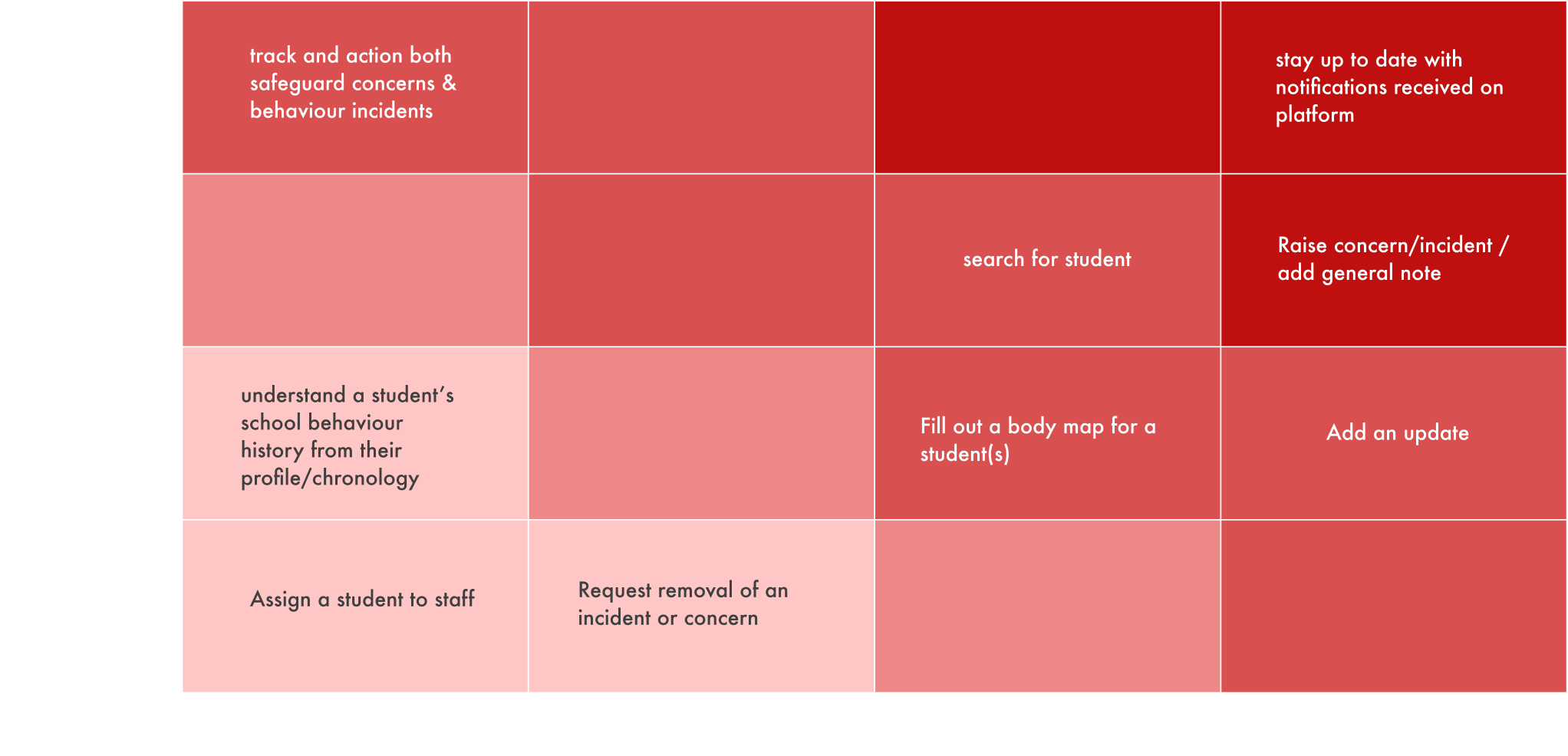
Identifying and prioritising the most critical user flows in the Record Manager product.
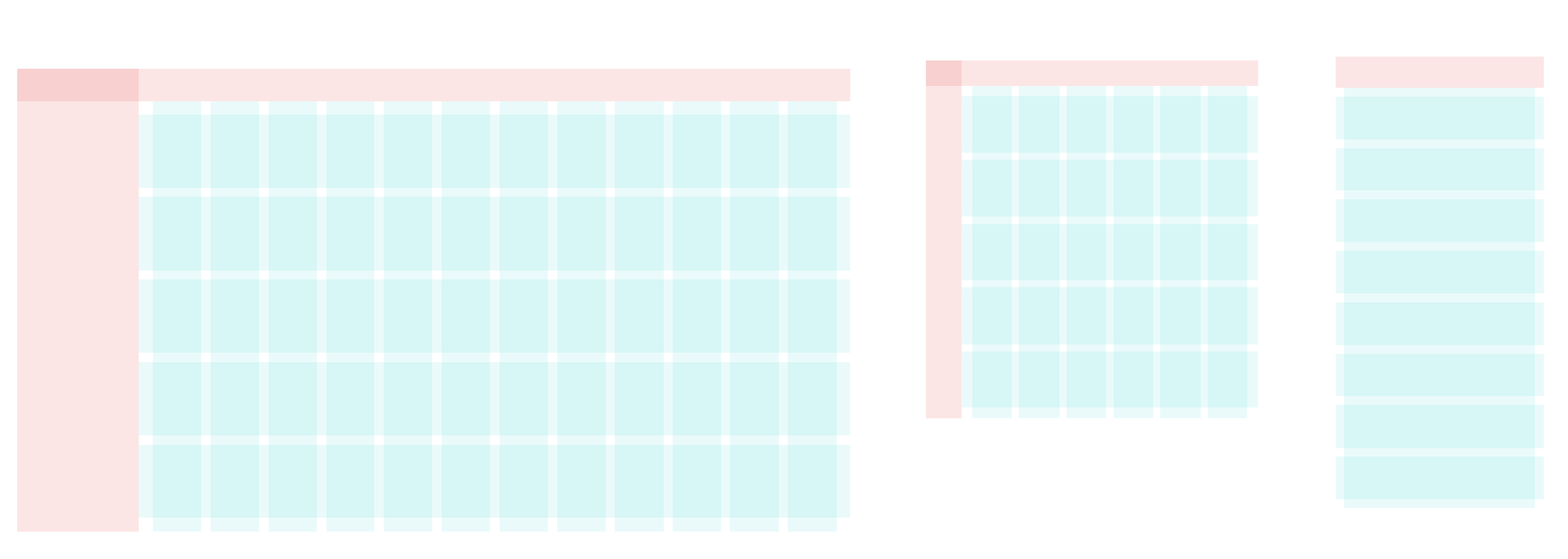
In order to create a responsive product that adapts to various devices, including desktop, tablet, and mobile, we followed the set of grids shown below (not to scale). Two distinct grids were employed, one for the content section and the other for navigation. Given that the Familyzone product library utilises a sidebar and a top navigation bar, it was essential to adhere to this particular style.
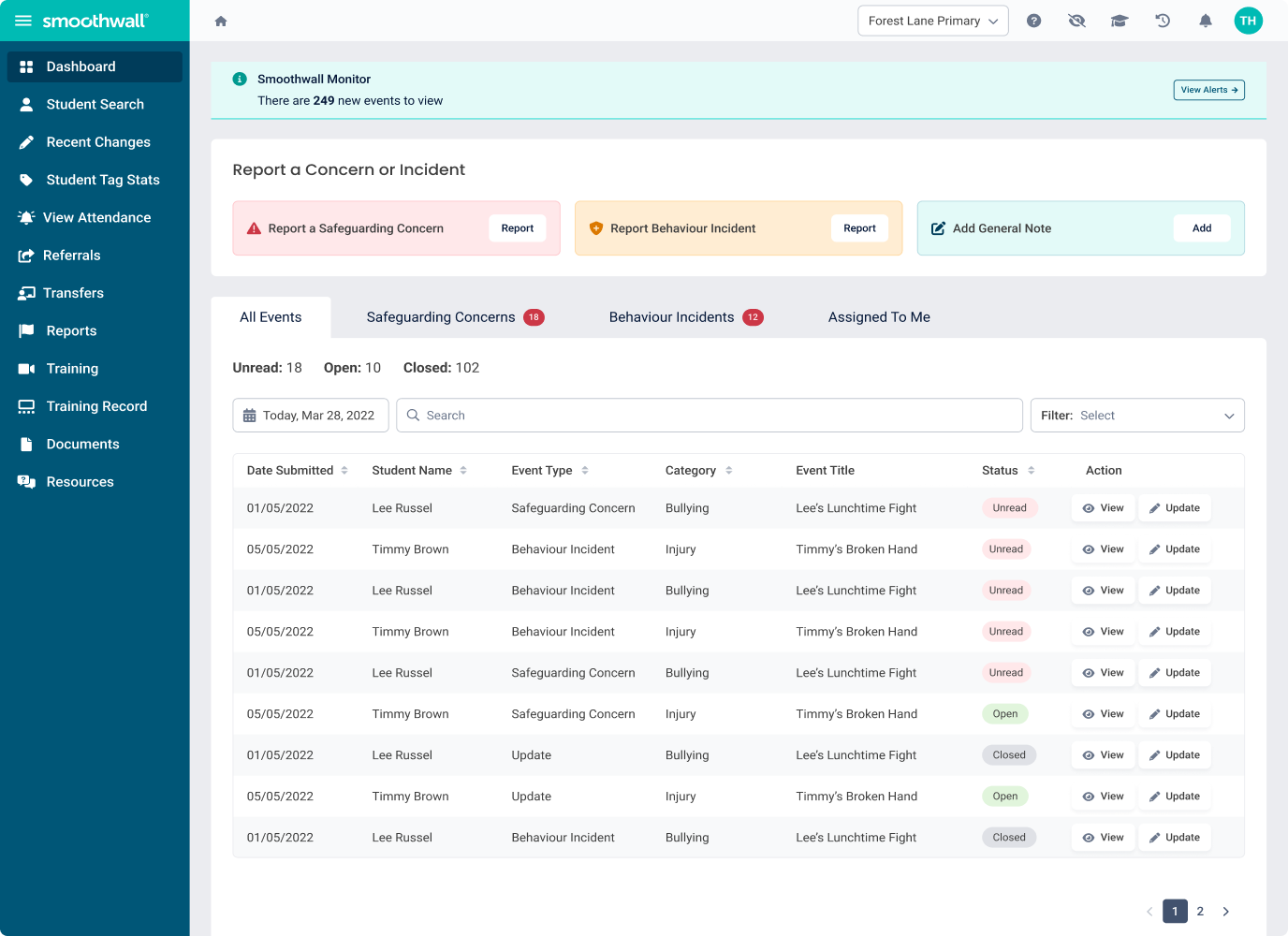
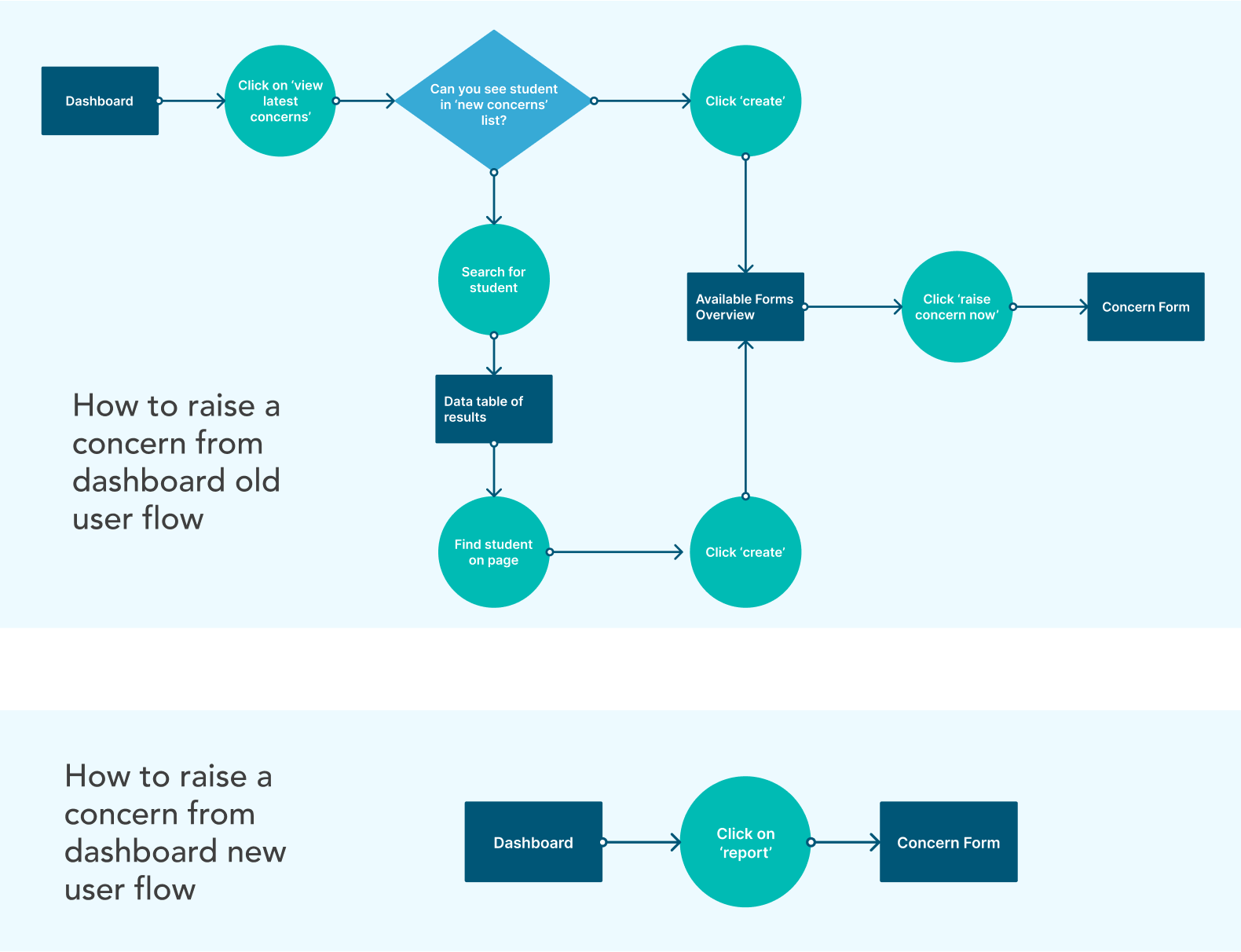
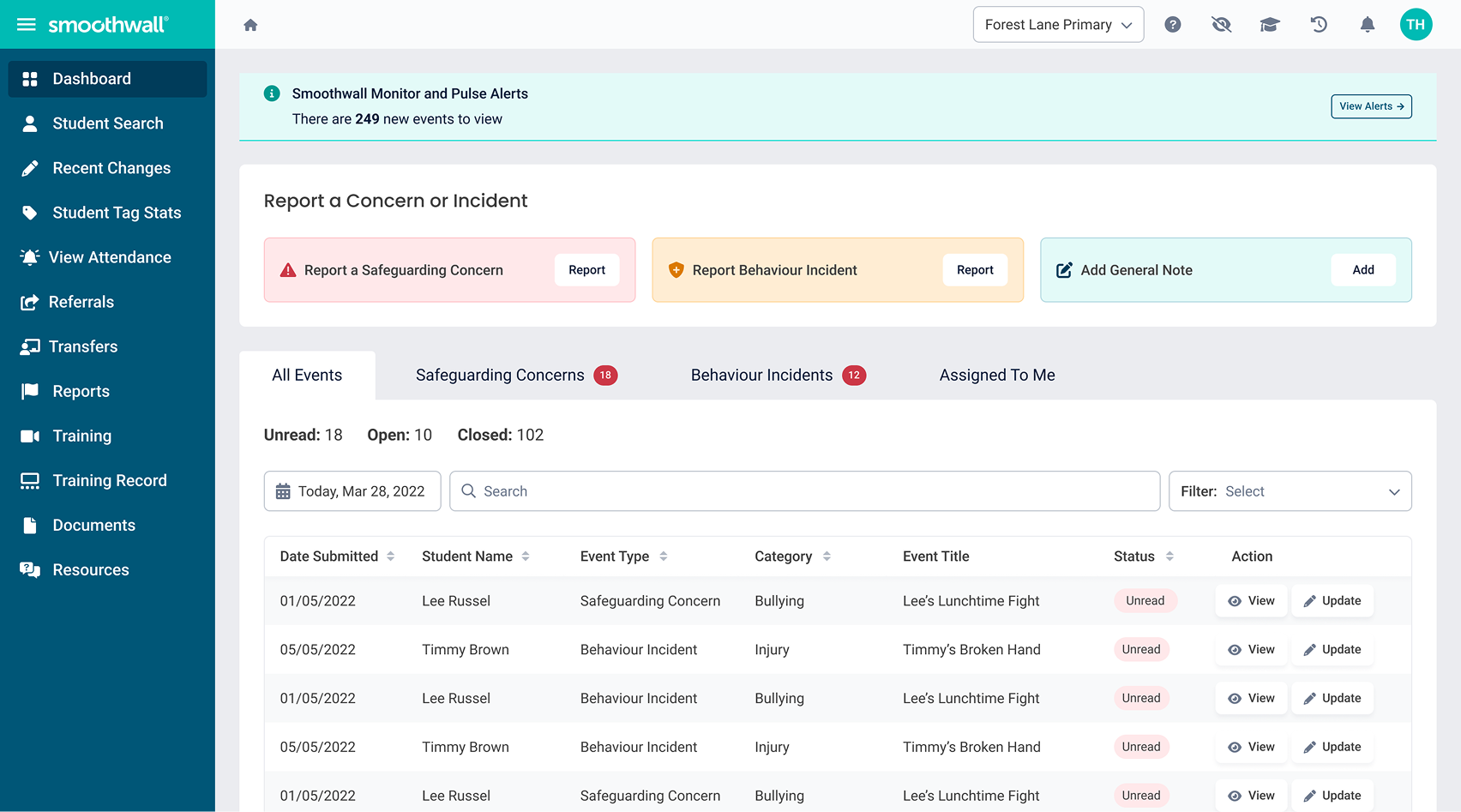
One of the most important things for a user to be able to do on Record Manager is to raise and track concerns / incidents pertaining to children at school. It was interesting to see that as soon as you log in, the original dashboard did not have a space that allowed for a concern, incident or general note to be raised.
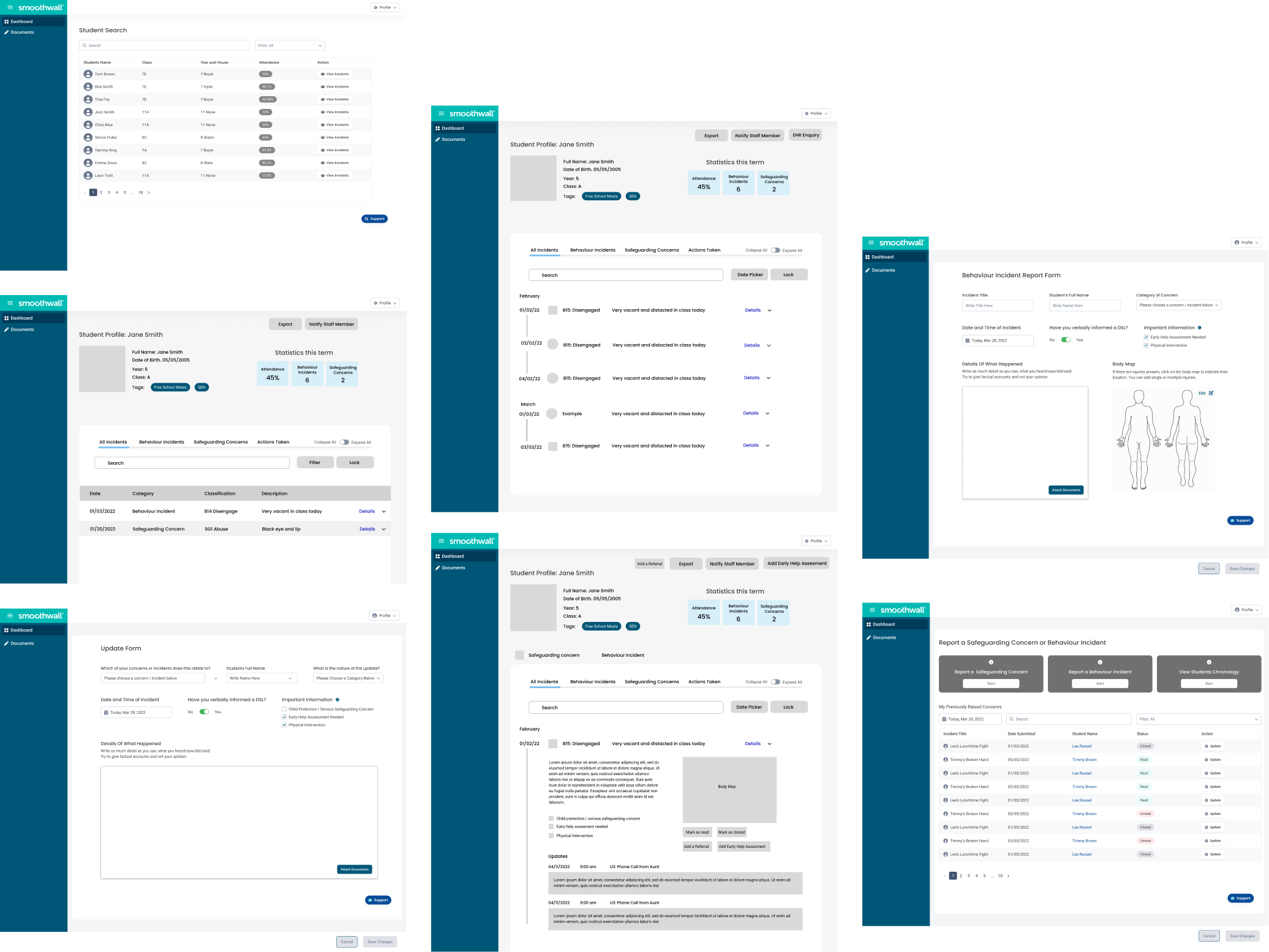
After understanding the critical user flows, we proceeded to design our wireframes. Since some components were already established and needed to be adhered to for consistency with the overall product appearance, we began with mid-fidelity wireframes. We started with a desktop first approach considering the device usage data of the product.
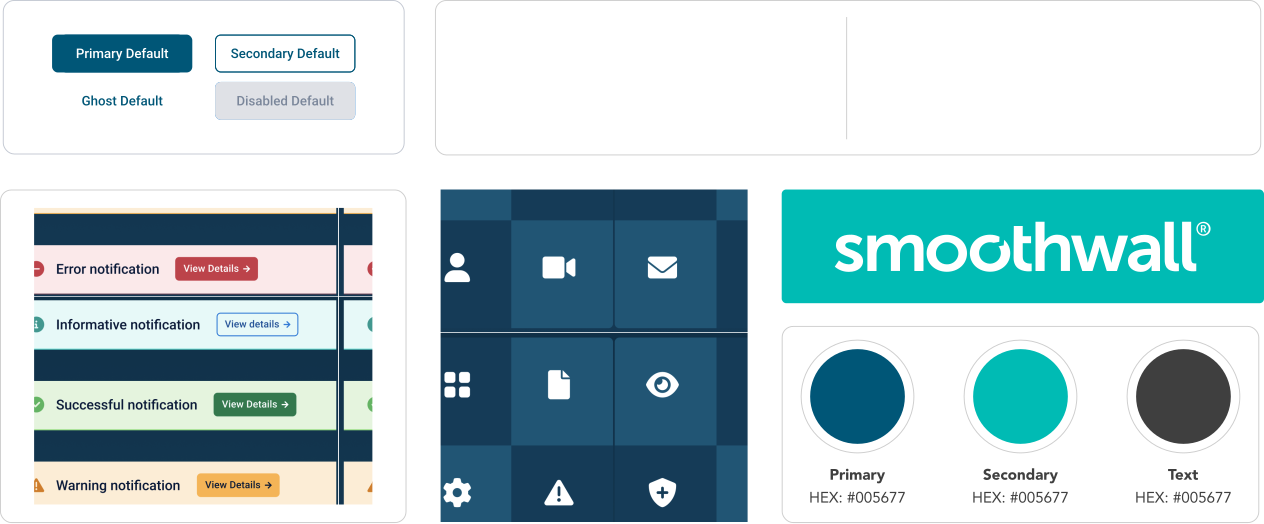
Adding Smoothwall brand colours to the existing Familyzone colour palette gave Record Manager a Familyzone feel while still identifying it as a Smoothwall product.
We utilised the existing Familyzone component library to create a unified appearance across all products while creating or updating components as needed for use cases specific to Record Manager.
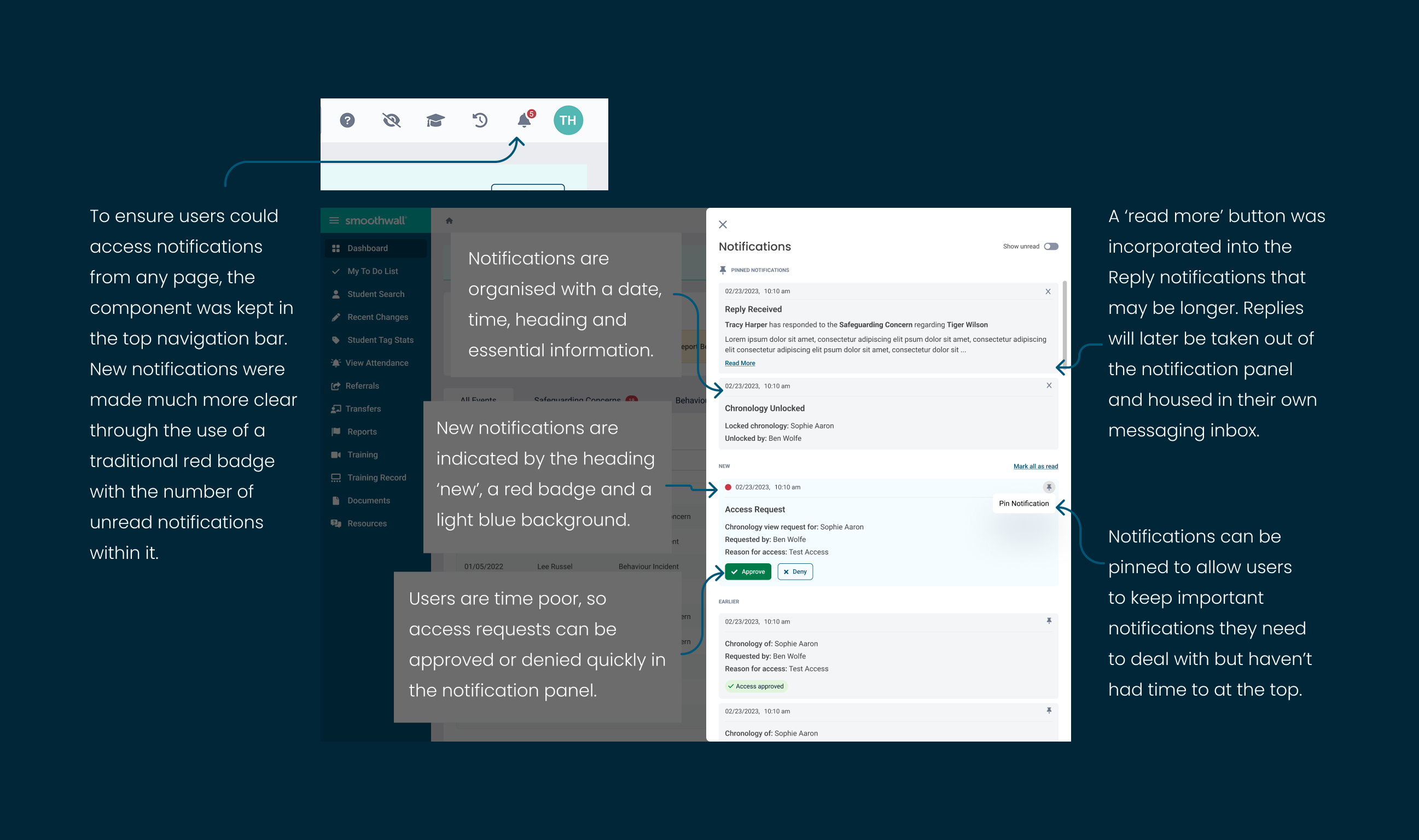
DSL users receive many notifications such as replies to messages they have sent regarding particular events, access requests, chronology updates plus safeguarding and behaviour incident alerts.
Our vision was to create a separate inbox which would handle all replies (later catering for a two way chat function) and have a traditional notification drop down alongside it where each notification would link the user to the source of the notification.
Due to developmental constraints this was not possible so I needed to adapt the notifications component to allow users to read replies received as well as the other notifications.
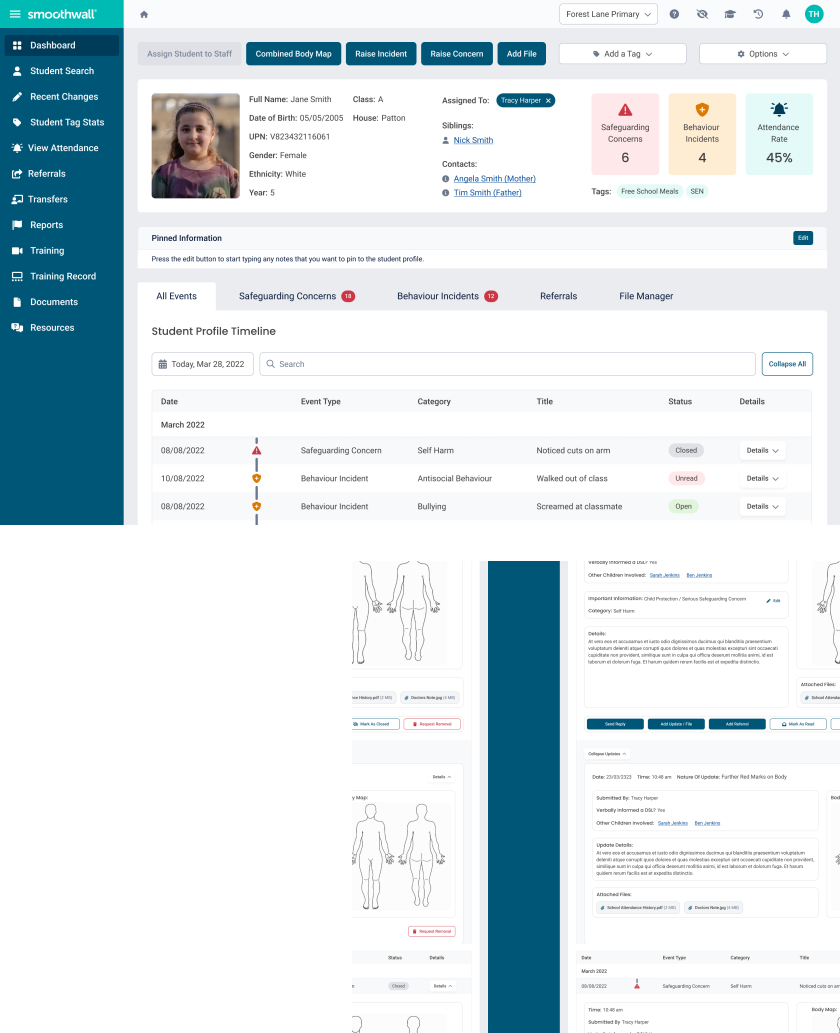
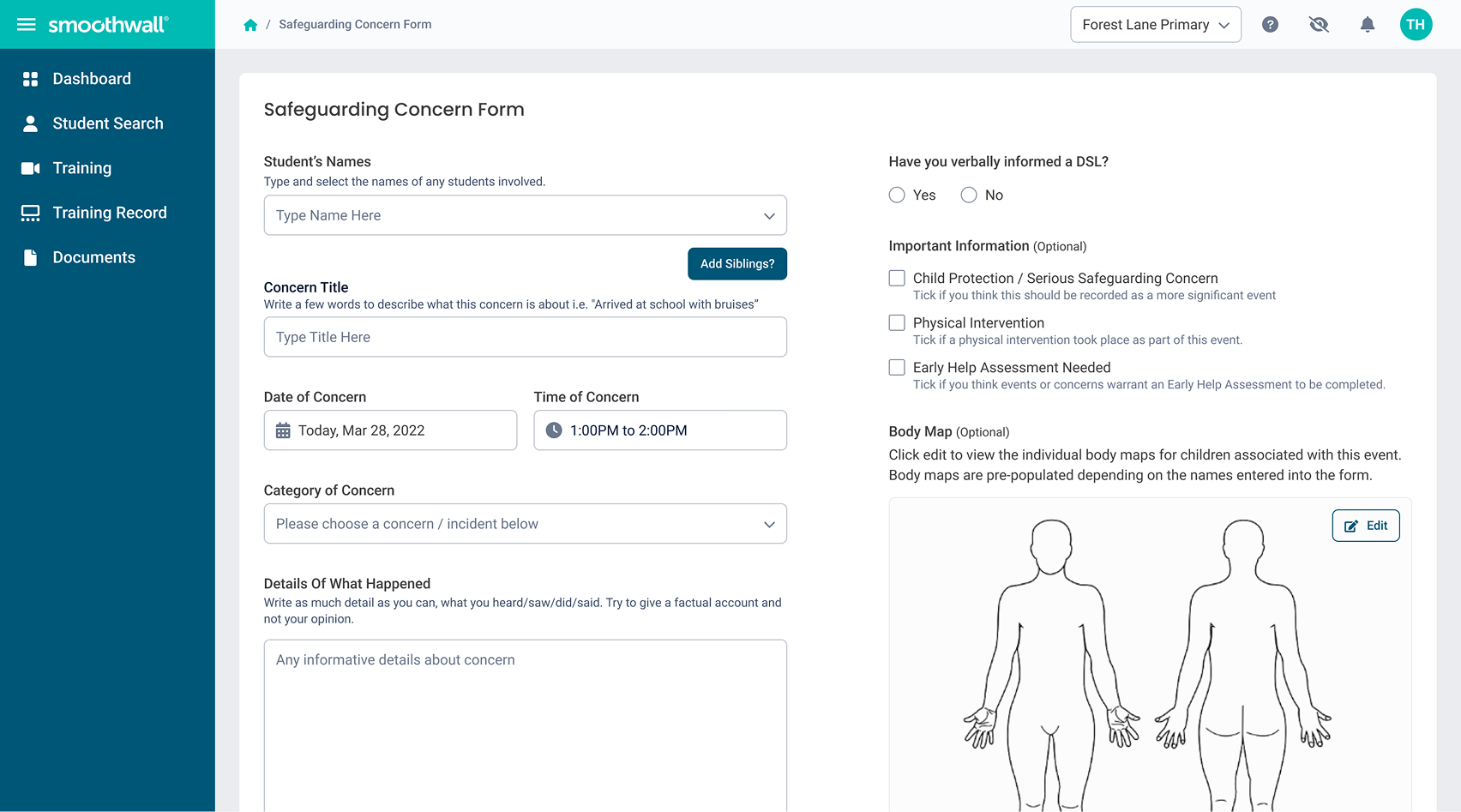
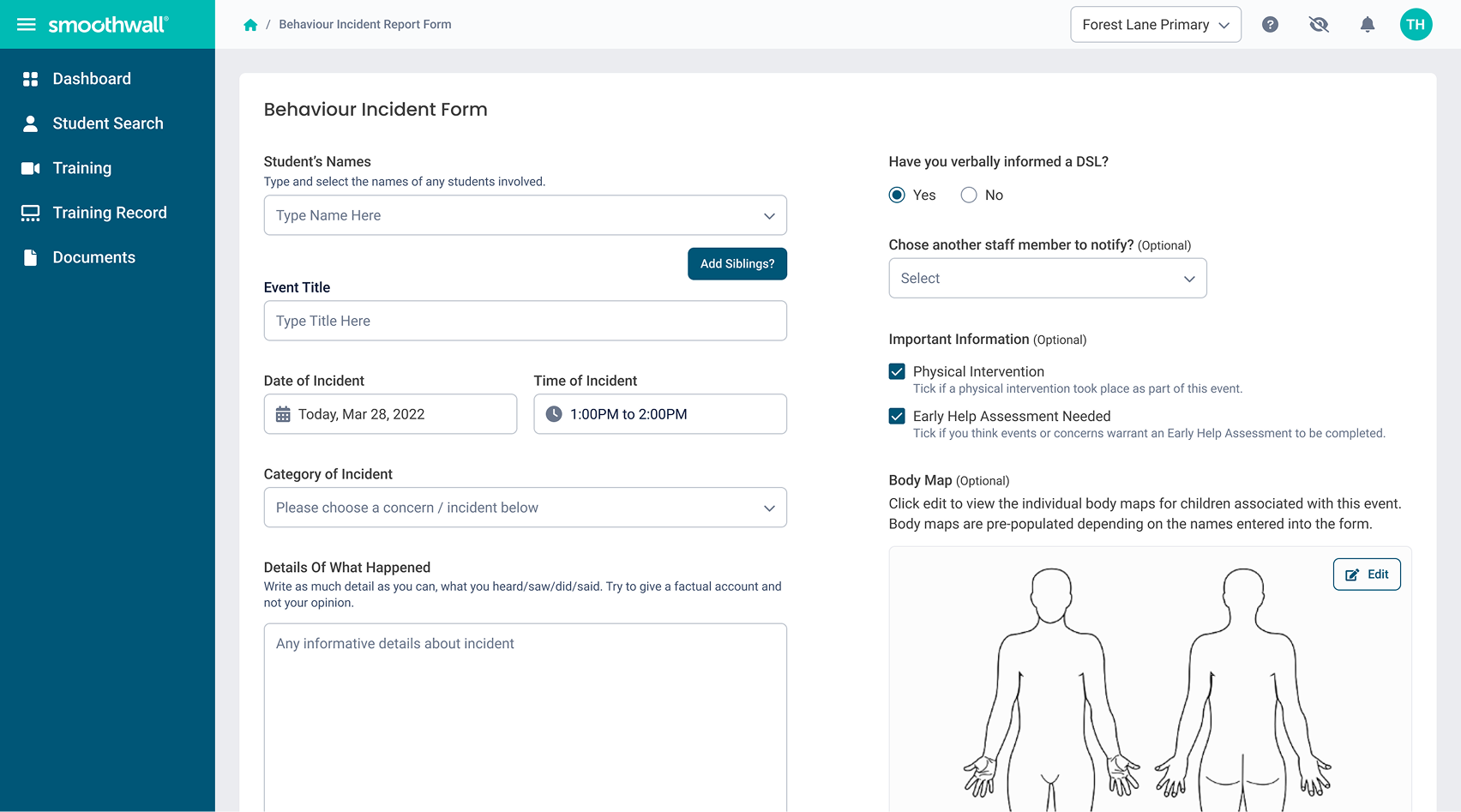
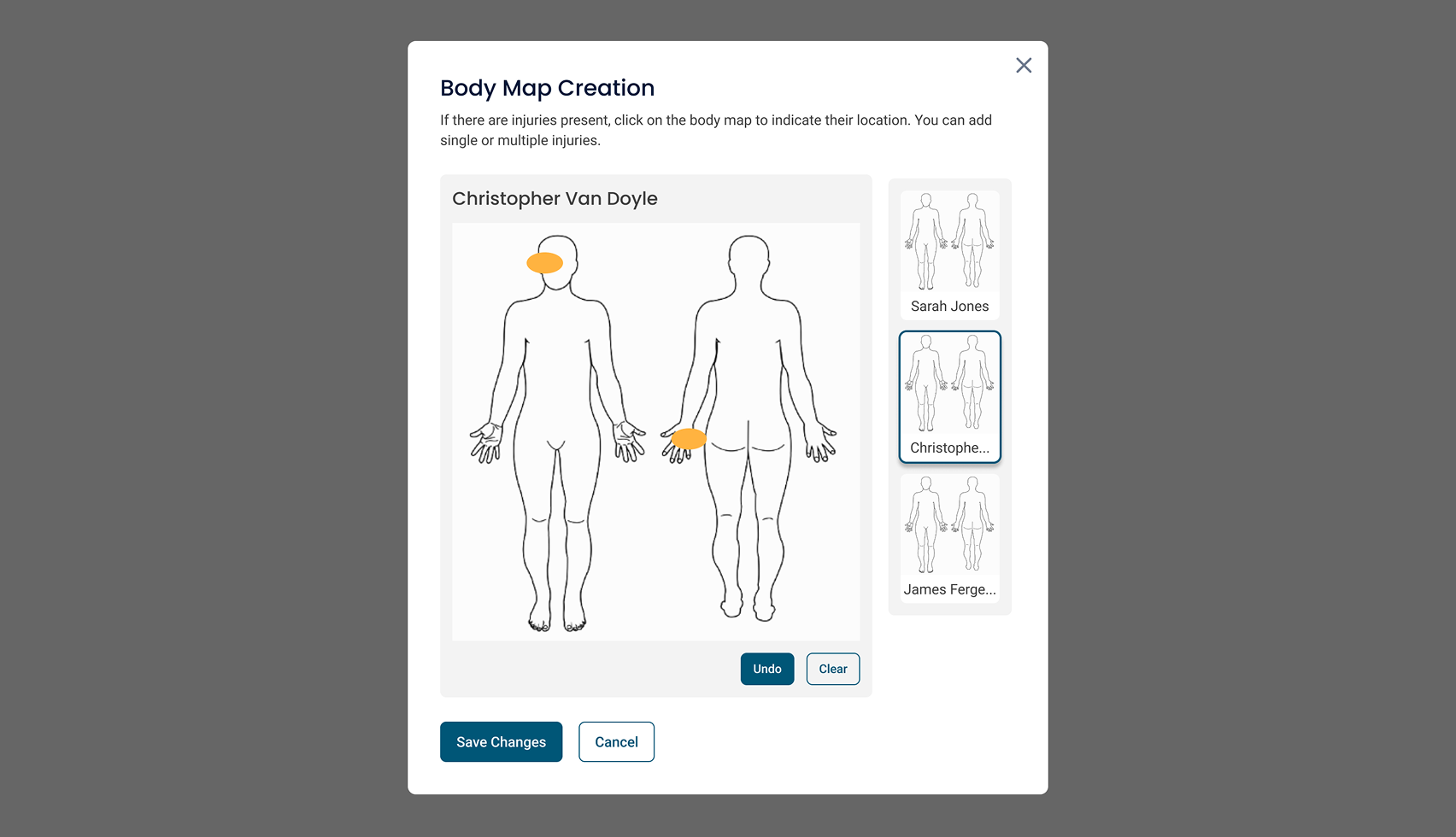
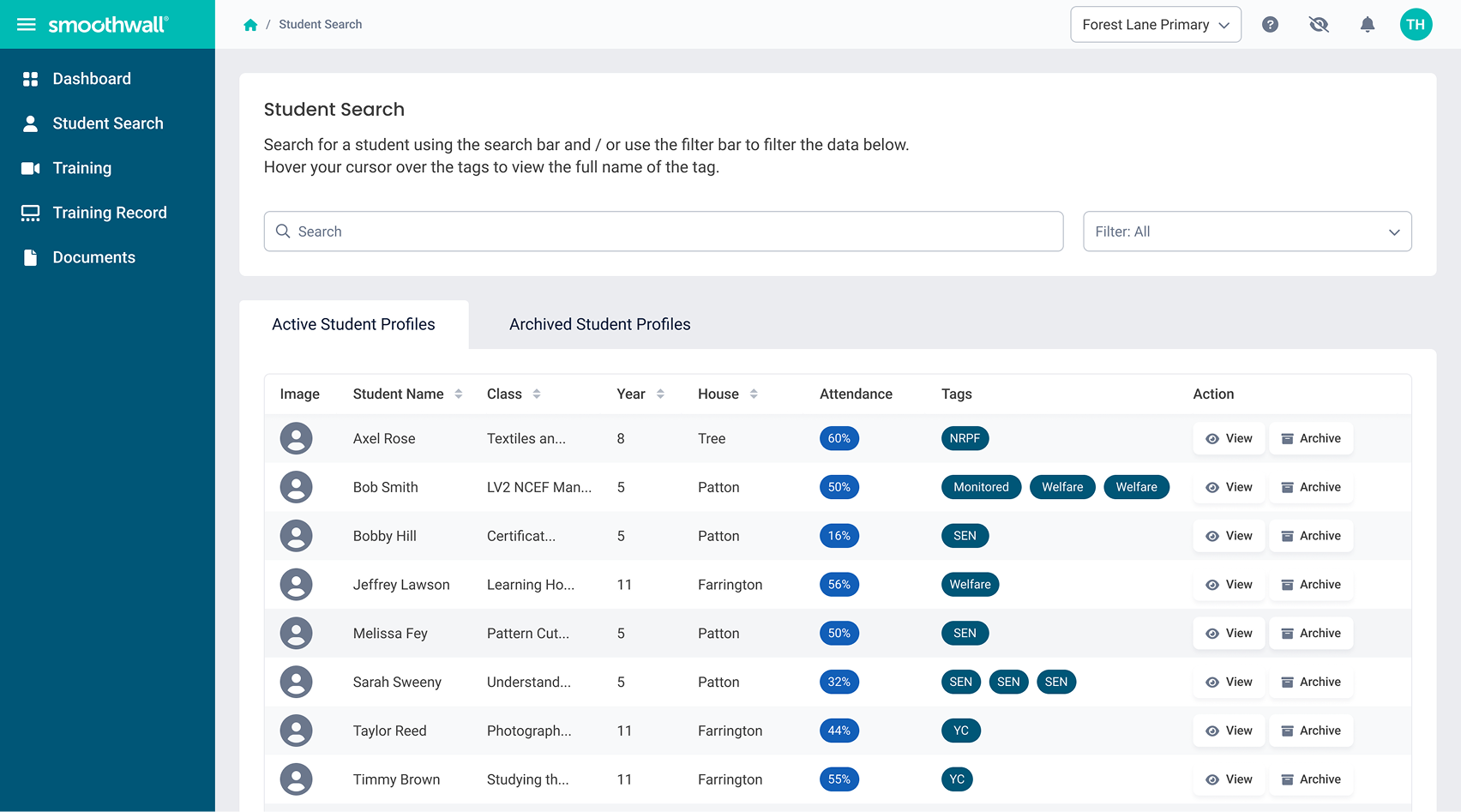
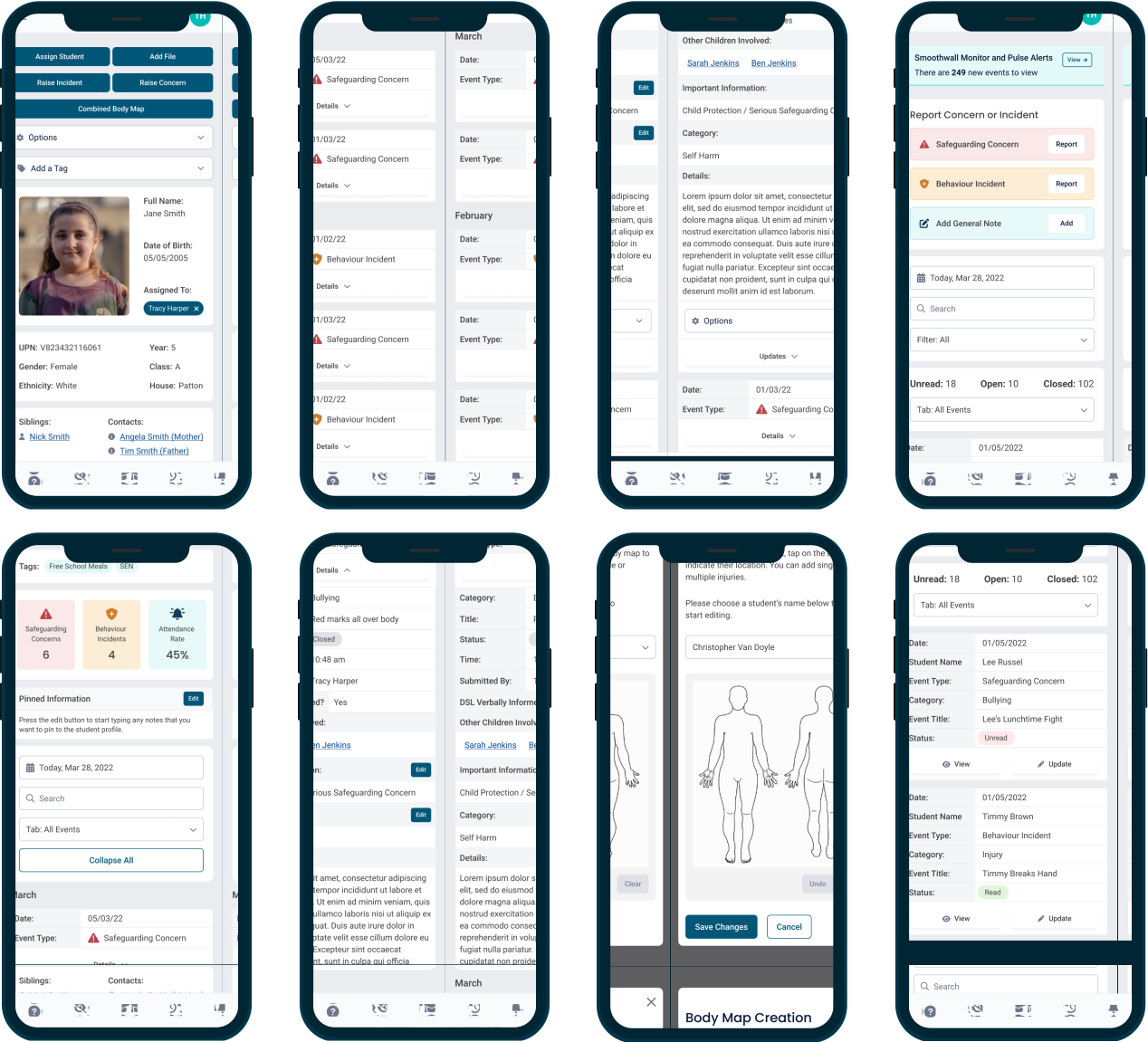
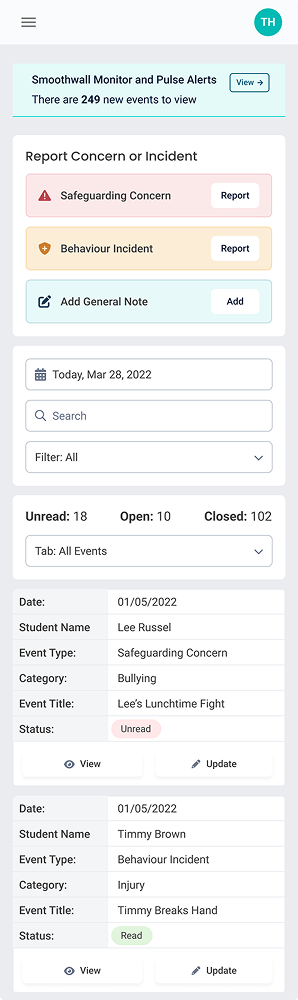
We adopted a desktop-first approach for the Record Manager product. However, mobile screens were also crucial to allow staff to check in remotely. User research revealed that urgent alerts, such as suicide alerts, can occur outside of school hours. To ensure teachers can access the product and perform all necessary tasks, mobile access is critical.
Tablet break points were also considered in order to create an effective responsive product despite the device usage only being 2.5% for tablet. Until now responsive design had not been considered.